NOTE
4.5 trace
1. 使用 步骤如下: 1. 导入包: import runtime/trace 2. 开启分析: trace.Start(file) 停止分析: trace.Stop() 3. 命令行分析 - go tool trace trace.out - 2. 参考 Go execution tracer
这是历史学习笔记,可能存在过时或不完整的理解。
1. 使用
步骤如下:
- 导入包:
import runtime/trace - 开启分析:
trace.Start(file)停止分析:trace.Stop()
package main

import (
	"fmt"
	"os"
	"runtime/trace"
)

func main() {
	file, err := os.Create("trace.out")
	if err != nil {
		panic(err)
	}
	defer file.Close()

	err = trace.Start(file)
	if err != nil {
		panic(err)
	}

	fmt.Println("Hello World")

	trace.Stop()
}- 命令行分析
go tool trace trace.out
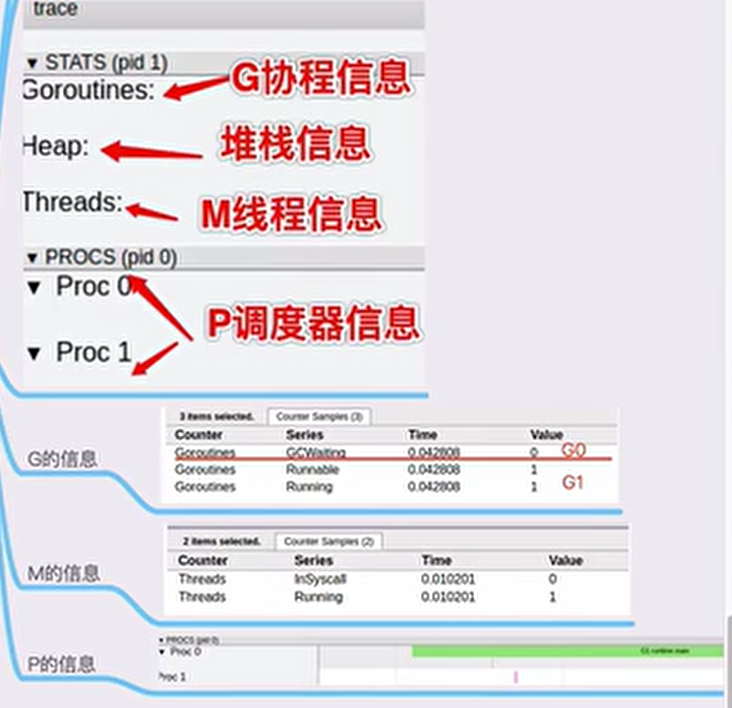
2. 参考
Go execution tracer | Gopher Academy Blog Go 执行追踪器(execution tracer) - Go语言中文网 - Golang中文社区 An Introduction to go tool trace How to analyze the performance of your go application in production | Developer’s life Go code refactoring : the 23x performance hunt | by Val Deleplace | Medium